

































Many Kenyans worry about their credit status, especially when applying for loans or jobs. Lenders and employers often rely on CRB reports to make decisions, so staying informed is not optional.
You need to know where you stand before making financial moves. The good news is that you can check your CRB status online quickly and affordably.
This guide breaks down the exact steps you should follow using approved platforms in Kenya, so you avoid mistakes and get accurate results without stress.
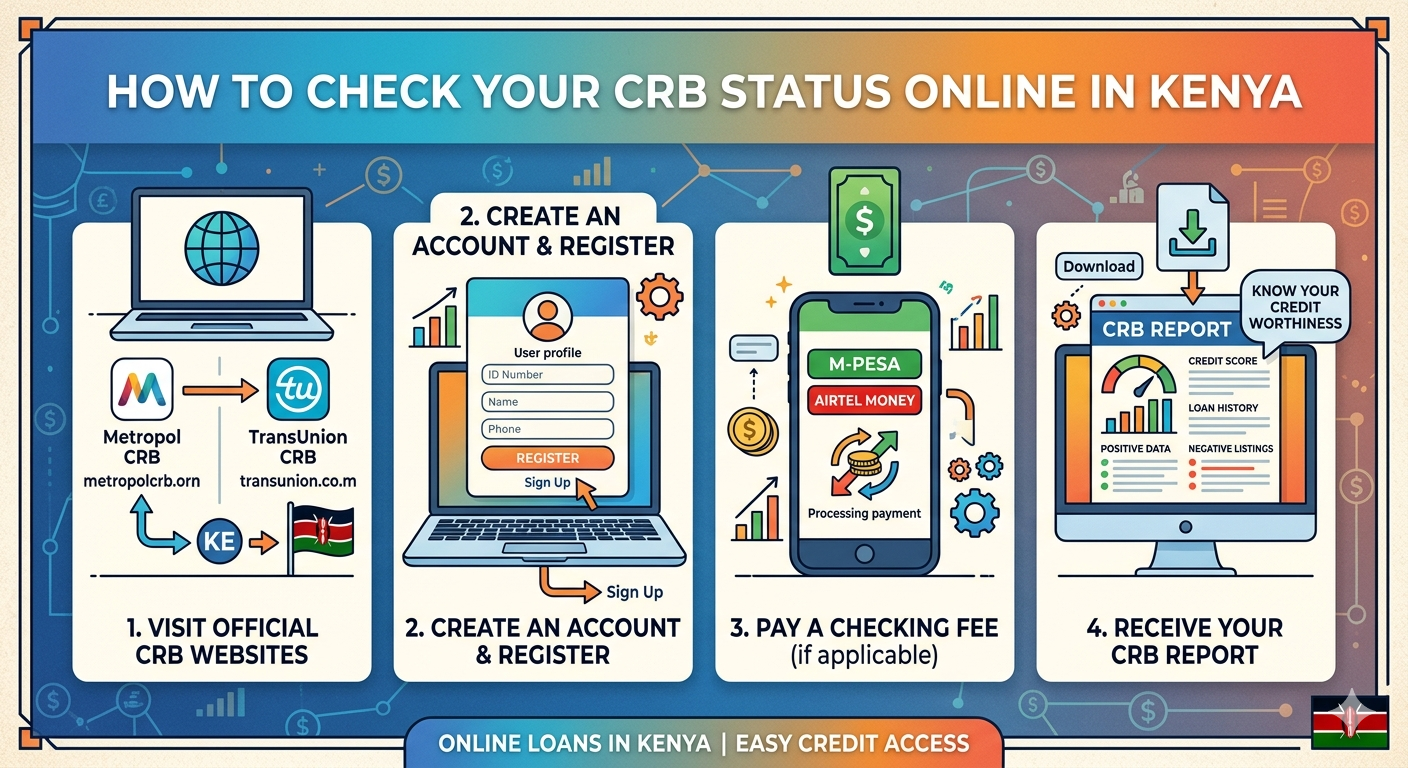
Step-by-Step Guide on Guide on How To Check Your CRB Status Online in Kenya
In Kenya, only three licensed Credit Reference Bureaus collect and share credit data. These are TransUnion Kenya, Metropol CRB, and Creditinfo Kenya. The Central Bank of Kenya regulates all three institutions.
Each bureau offers a slightly different process, but all allow you to check your CRB status online or via mobile.
How To Check Your CRB Status Using Metropol
Metropol offers one of the most straightforward ways to access your CRB report.
Follow these steps
- Visit the Metropol website or download the Metropol CIS Mobile App
- Alternatively, dial *433# using your Safaricom line
- Register by paying a one-time fee of Ksh 100 via Paybill number 220388
- Use your National ID number as the account number during payment
- Wait for an SMS that contains your unique code, reference number, and report link
- Dial *433# again and enter your ID number to receive your CRB status via SMS
- You can also log in through the app or website to view your full report
This method works well if you want quick access through your phone without relying heavily on the internet.
How To Check Your CRB Status Using TransUnion
TransUnion Kenya provides both SMS and app-based access, making it flexible.
Here is what you should do
- Send your full names to 21272
- Enter your National ID number when prompted
- Select “CC” to request your credit status
- Complete the registration process
After registering, you can:
- Send your full names again to 21272 to receive updates
- Use the TransUnion Nipashe App for a more detailed report
- Visit the official website and log in to check your status
This option suits users who prefer a simple SMS process or app-based access.
How To Check Your CRB Status Using Creditinfo
Creditinfo Kenya mainly uses an online and email-based process.
Follow this process carefully
- Visit the Creditinfo website
- Fill in your personal details including full name, ID number, phone number, and email address
- Add your residential address
- Upload a scanned copy (PDF) of your National ID
- State the reason for requesting your credit report
- Submit your application
You will receive your credit report via email once the process is complete.
Important note
- Your first credit report every 12 months is free
- Any additional report within the same year costs Ksh 350
This method works best if you want a detailed official report delivered to your email.
Key Things To Know Before Checking Your CRB Status
Understanding the process helps you avoid unnecessary costs and confusion.
Costs and Access Rules
- You get one free CRB report per year from each bureau
- Additional reports may attract fees depending on the provider
- Always use your registered phone number and correct ID details
Why Your CRB Status Matters
Your CRB status affects more than just loans.
- Banks and digital lenders use it to approve or reject loan applications
- Employers may check it during hiring, especially for finance-related roles
- A negative listing can limit your financial opportunities
Final Advice You Should Not Ignore
Checking your CRB status is not something you do once and forget. You should review it regularly, especially before applying for a loan or job. If you find errors, act fast and contact the bureau to correct them.
Do not wait until you get rejected to start caring about your credit profile. Stay ahead, stay informed, and take control of your financial reputation.