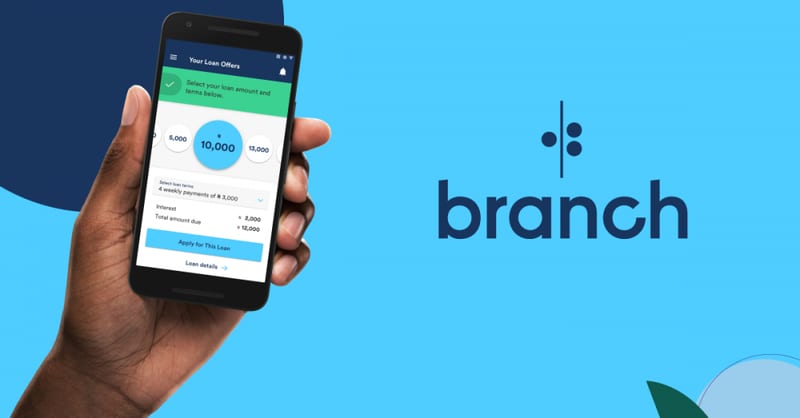
If you ever need quick cash for emergencies or business, Branch offers one of the easiest ways to borrow money in Kenya. Launched in 2015, the Branch mobile loan app has become Kenya’s most downloaded loan app. It provides loans ranging from Ksh 250 to Ksh 70,000 straight to your M-Pesa account within minutes. In this post, you will learn how to apply for and repay a Branch loan via M-Pesa in Kenya. All you need is an Android phone, a Facebook account, and an active SIM card registered for M-Pesa. To build your Branch loan limit, make sure you always repay your loans on time. Late payments lower your credit score, making it harder to qualify for bigger loans in the future. [Photo//Courtesy] Complete Guide on How To Apply and Repay Branch Loan Via M-Pesa in Kenya Branch gives Kenyans an easy and fast way to access mobile loans without paperwork or guarantors. The process is fully digital, and everything happens through your phone. How to Register and Apply for Branch Loan Follow these simple steps to register and apply for a Branch loan in Kenya: Step Description 1. Download the App Go to Google Play Store and search for Branch App . Download and install it on your Android phone. The app works best on Android version 4.0.3 or higher. 2. Sign Up Open the app and register using your Facebook account or phone number . Fill in the required personal details correctly. 3. Apply for a Loan Once your profile is verified, you can apply for a loan that fits your financial needs. 4. Receive the Money The approved loan amount will be deposited directly into your Mpesa account within minutes. Branch’s application process takes only a few minutes. After your first successful repayment, your loan limit increases, giving you access to higher amounts over time. Branch Loan Interest Rates and Repayment Terms in Kenya Branch loans come with flexible repayment periods and fair interest rates compared to traditional lenders. Below is a breakdown: Loan Details Information Loan Amounts Ksh 250 – Ksh 70,000 Interest Rate 1% – 14% per month Repayment Period 4 – 68 weeks Disbursement Method Direct to Mpesa Eligibility Must have an active Mpesa and Facebook account To build your Branch loan limit, make sure you always repay your loans on time . Late payments lower your credit score, making it harder to qualify for bigger loans in the future. How to Repay Branch Loan Via Mpesa Repaying your Branch loan through Mpesa is simple and secure. Follow these steps: Step Action 1. Go to Mpesa Menu Open your Mpesa on your phone. 2. Select Lipa na Mpesa Choose Paybill option. 3. Enter Paybill Number Type 998608 as the Business Number . 4. Enter Account Number Use your Mpesa-registered phone number (the one linked to your Branch account). 5. Enter Amount Input the exact amount you want to repay. 6. Enter Mpesa PIN Confirm the transaction by entering your PIN and press OK . 7. Confirmation You will receive a message from Mpesa confirming your payment. Once payment is made, your Branch account updates automatically within minutes. You can confirm repayment by checking your Branch app dashboard . Wrapping Up Branch continues to be Kenya’s most trusted mobile lending app for its speed , transparency , and ease of use . With just your phone, you can apply, receive, and repay your loan conveniently via M-pesa. Whether you need money for emergencies, school fees, or business, the Branch loan app ensures fast access to cash with flexible repayment terms.
Stay disciplined by repaying your loans early to grow your borrowing limit and enjoy even better financial support in the future.