





























M-Pesa GlobalPay is transforming how Kenyans shop online globally. This VISA virtual card links directly to your M-Pesa wallet, allowing you to pay international merchants effortlessly.
Whether you are buying software subscriptions, booking flights, or shopping on global e-commerce platforms, GlobalPay gives you the financial freedom to transact beyond borders. Setting it up takes just minutes, and you can do it right from your phone.
This guide walks you through everything you need to know to access and use M-Pesa GlobalPay.
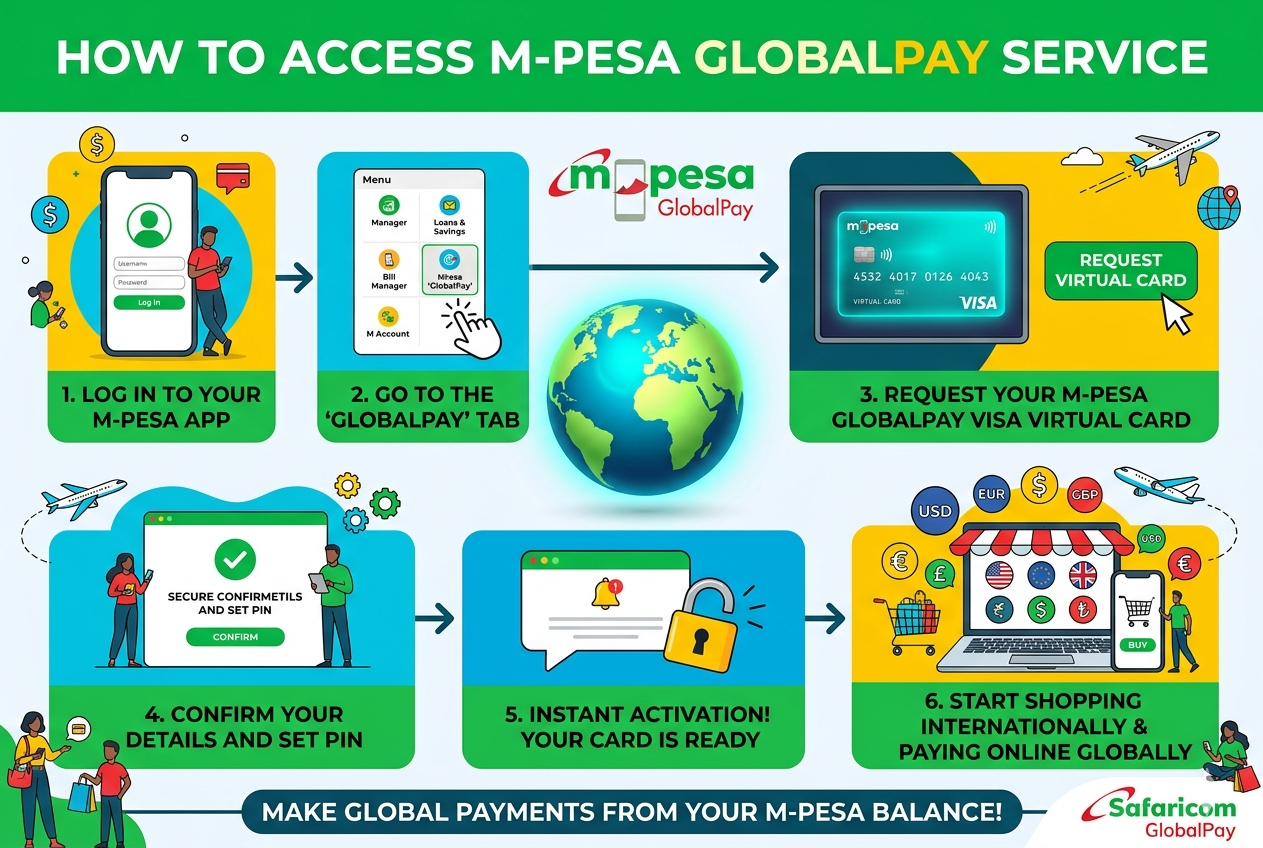
What Is M-Pesa GlobalPay and How Does It Work?
M-Pesa GlobalPay is a VISA virtual card that Safaricom links to your M-Pesa wallet. It enables you to make payments to international online merchants for goods and services using your card details. The card comes with three key details you will need during any online transaction:
| Card Detail | Description |
|---|---|
| Card Number | A unique 16-digit number identifying your card |
| Expiry Date | The date your card expires (valid for 3 years) |
| Security Code (CVV) | A security code used to verify online transactions |
Unlike a physical card, GlobalPay exists entirely in digital form, making it safe and easy to use for online purchases.
Key Things To Know Before You Activate GlobalPay
Before you activate your M-Pesa GlobalPay card, there are several important things you need to understand:
- One card per ID — Safaricom allows only one GlobalPay card per national ID. You cannot hold multiple cards simultaneously.
- One registered number—You can only access the service through one registered mobile number. If you want to switch to a new number, you must cancel the card and opt out first, then activate it afresh.
- Foreign exchange markup — Safaricom applies a 3.5% markup on the transaction value at the prevailing forex rate for all international payments. This is calculated based on the exchange rate between the billing currency (Kenyan Shillings) and the currency used at the time of purchase.
- Card expiry — Your GlobalPay card expires after three years. Safaricom will notify you at least four times before your card expires, giving you ample time to renew.
- Dormancy — If you do not use your card for six consecutive months, it becomes dormant. You can reactivate it easily through the M-Pesa app or USSD without visiting a Safaricom shop.
Understanding these terms helps you use GlobalPay more effectively and avoid unnecessary inconveniences during transactions.
How To Activate and Access M-Pesa GlobalPay Step by Step
You can access M-Pesa GlobalPay through two convenient channels — the M-Pesa app or the USSD code *334#. Follow the steps below depending on the method you prefer.
Method 1 — Using the M-Pesa App
The M-Pesa app offers the most seamless experience for activating your GlobalPay card. Follow these steps:
- Log in to your M-Pesa app on your smartphone.
- Select the Grow tab on the app’s navigation menu.
- Tap on the GlobalPay tab to begin the activation process.
- Choose your preferred card colour.
- Enter your M-Pesa PIN to confirm the activation.
- Wait for an SMS containing your card number and expiry date.
Once you receive the SMS, your card is ready to use for international online payments immediately.
*Method 2 — Using USSD (334#)
If you do not have a smartphone or prefer a simpler approach, the USSD method works just as well. Here is how:
- Dial *334# on your registered M-Pesa line.
- Select Lipa na M-Pesa (Option 6).
- Select M-Pesa GlobalPay (Option 5).
- Follow the on-screen prompts to complete your activation.
M-Pesa GlobalPay Transaction Limits
M-Pesa GlobalPay operates within the standard M-Pesa customer limits. The table below summarizes what you can transact:
| Limit Type | Amount |
|---|---|
| Minimum Transaction | KShs 1 (subject to change based on USD-KES rate) |
| Maximum Per Transaction | KSh 150,000 |
| Maximum Daily Limit | KSh 300,000 |
Note that the minimum transaction amount may fluctuate depending on the prevailing US dollar to Kenya shilling exchange rate. Always check the current rate before making small international payments to avoid transaction failures.
M-Pesa GlobalPay makes international online shopping accessible to every Kenyan with an M-Pesa account. Activate your card today and start shopping globally without limits.