



























If you want fast and reliable mobile banking without internet, this guide on how to register for Absa Hello Money in Kenya will help you get started quickly. Absa Bank Kenya offers Hello Money as a simple USSD-based service that works on any phone.
You don’t need a smartphone or data bundles. You only need your bank account and a registered SIM card. Once you register, you can send money, pay bills, and check your balance anytime.
This guide breaks down every step clearly so you can register, set your PIN, and start using the service immediately.
How To Register For Absa Hello Money in Kenya
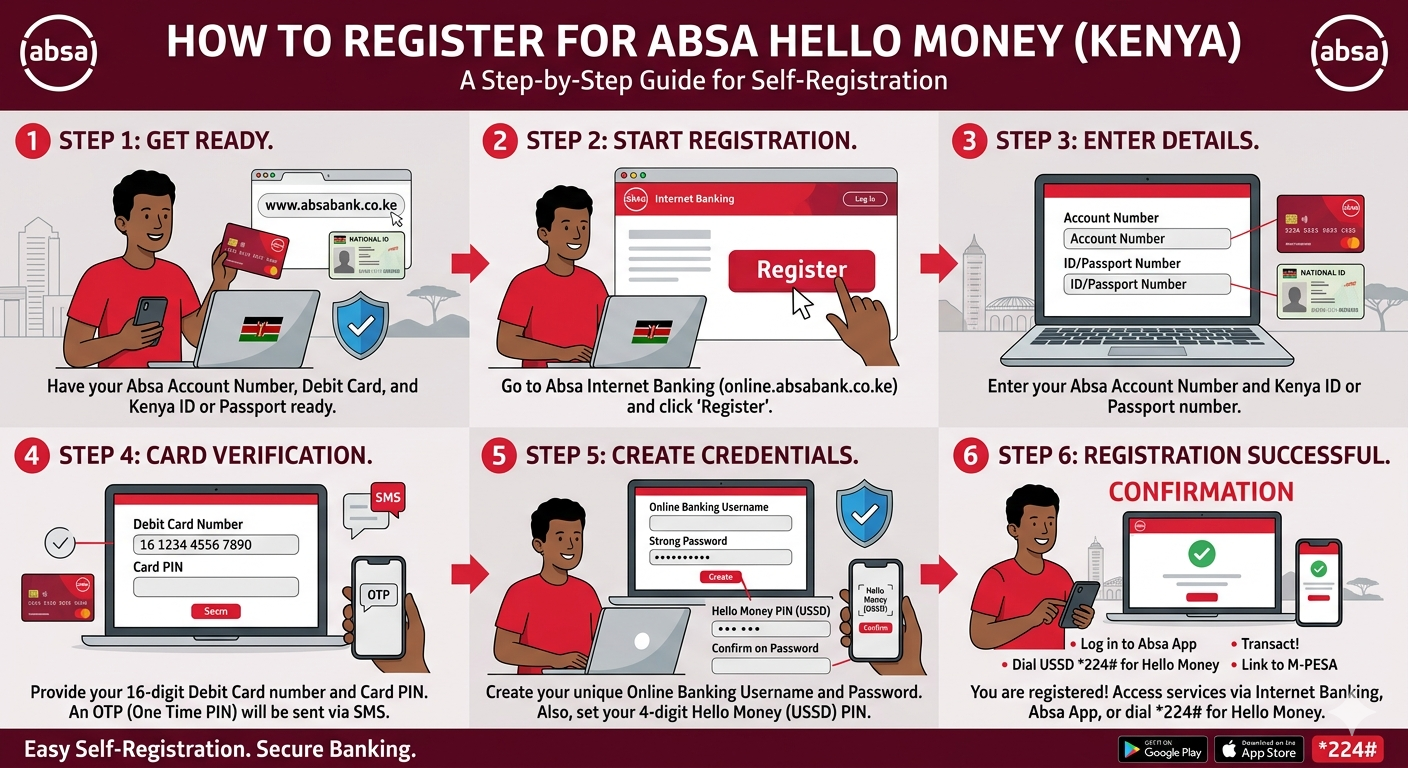
Registering for Hello Money is quick and takes only a few minutes. Follow the steps below carefully.
Step-by-step registration process
- Dial *224# on your phone
- Select your preferred language (English or Kiswahili)
- Choose the self-registration option
- Enter your Absa account number
- Accept the terms and conditions
- Input your date of birth as requested
- Enter the required debit card digits
- Provide your debit card expiry date
- Confirm your details
After completing these steps, you will receive a confirmation message. The system will also send a temporary PIN via SMS. You must change this PIN within 72 hours to activate your account fully.
How to change your Hello Money PIN
You need to secure your account by setting a personal PIN.
- Dial *224#
- Enter the temporary PIN
- Input your new PIN
- Re-enter the new PIN to confirm
- Wait for the confirmation message
Choose a PIN that is easy for you to remember but hard for others to guess.
How to reset your Hello Money PIN
If you forget your PIN, reset it using these steps:
- Dial *224#
- Select “Forgot PIN”
- Confirm the request
- Enter your account number
- Provide your personal details as requested
- Enter a new PIN and confirm
Your PIN will reset instantly, and you can continue using the service.
What You Can Do With Absa Hello Money
Hello Money gives you full control of your finances directly from your phone. Below is a breakdown of the key services:
| Service | What You Can Do |
|---|---|
| Money Transfers | Send money to other accounts or mobile wallets |
| Balance Check | View your account balance instantly |
| Mini Statement | Access recent transactions |
| Bill Payments | Pay electricity, water, rent, and more |
| Airtime Purchase | Buy airtime for any network |
| Beneficiary Management | Add or manage recipients |
| Mobile Money Integration | Transfer funds to and from M-Pesa |
This flexibility makes Hello Money one of the most convenient mobile banking solutions in Kenya.
How to request a mini statement
You can check your recent transactions anytime:
- Dial *224#
- Enter your PIN
- Select “Bank Services”
- Choose “Account Services”
- Select “Mini Statement”
- Choose your account
Your mini statement will appear on your screen instantly.
Key benefits of using Hello Money
Hello Money stands out because it focuses on simplicity and accessibility.
- Works on any mobile phone
- Does not require internet access
- Fast and secure transactions
- Available across all mobile networks
- Easy to use interface
This makes it ideal for both urban and rural users who want reliable banking services.
Absa Kenya Contact Information
If you need help, you can reach out to Absa Bank Kenya using the contacts below:
- Phone: +254 732 130120, +254 722 130120, (020) 3900000
- Email: [email protected]
Customer support can assist with registration issues, PIN problems, or transaction inquiries.
Final Thoughts
Learning how to register for Absa Hello Money in Kenya gives you a powerful way to manage your money without stress. The process is simple, fast, and accessible on any phone.
Once you register, you unlock services that save time and reduce the need to visit a bank branch. If you want convenience and control over your finances, Hello Money is a smart choice you should start using today.