Transferring money in Kenya has become faster and more convenient with KCB PesaLink. This service allows you to send and receive money instantly between different banks in real time. Whether you want to pay a friend, settle a bill, or receive money from another bank, KCB PesaLink simplifies the process. Understanding the KCB PesaLink charges is essential for managing your finances efficiently and avoiding surprises during transactions. This guide walks you through the registration process, how to send and receive money, and details all applicable transfer fees. KCB PesaLink offers instant money transfers with transparent fees. Register via USSD or the app, send and receive funds in real-time, and enjoy convenient banking nationwide. [Image: GGI] How to Register on PesaLink and Access KCB Services Before you can enjoy the benefits of KCB PesaLink, you must register. The registration is simple and can be completed via USSD. Steps to Register: Dial 522# and enter your mobile banking PIN. Select Cash Transfers . Choose PesaLink and proceed to register. Confirm the account you want linked to your mobile number (default is your registered mobile banking number). You will receive an SMS from PesaLink confirming successful registration. Once registered, you can access PesaLink services through multiple channels: KCB Mobile Banking – via USSD 522# and the KCB App KCB Internet Banking KCB ATMs KCB Branches nationwide KCB Bank Agents This flexibility ensures you can send or receive money anytime, anywhere, directly from your KCB Bank account. How to Receive Money Using PesaLink Receiving money is straightforward, as funds are deposited in real time. To receive money: Ensure the sender is registered with PesaLink. Request the sender to transfer money to your KCB Bank account. The money will appear in your account instantly, making it convenient for urgent payments. How to Send Money to Other Banks Using PesaLink KCB PesaLink allows you to transfer money to any local bank instantly. You can do this via USSD or the KCB App . Via USSD: Dial 522# Select Cash Transfers , then PesaLink Choose Pay a Person – Pay to a Phone, Account, or Card Select the KCB account to pay from Choose the batch where the beneficiary bank falls (based on the bank’s first letter) Enter the beneficiary account and the amount Provide a payment description and confirm the payment Receive two SMS notifications: one from KCB and another from PesaLink Via KCB App: Open the KCB App Select Cash Transfers , then Send to Other Bank or Mobile Search and select the beneficiary bank Enter the recipient account number, account name, and amount Enter your mobi PIN and confirm Receive two SMS notifications confirming the transaction KCB PesaLink Charges and Transfer Fees KCB PesaLink makes bank-to-bank transfers convenient, but it is important to know the applicable charges. The fees depend on the transfer amount, as shown in the table below: Transfer Amount (Ksh) Transfer Fees (Ksh) 10 – 1,000 0 1,001 – 5,000 36 5,001 – 10,000 48 10,001 – 50,000 63 50,001 – 100,000 96 100,001 – 200,000 120 200,001 – 999,999 240 These charges are competitive and structured to allow both small and large transactions efficiently. Small transfers as low as Ksh 10 are free, while large transactions incur a nominal fee, ensuring real-time convenience without excessive costs. Tips to Minimize Transfer Costs Combine multiple small transfers to avoid multiple fees where possible. Use transfers below Ksh 1,000 when sending low amounts to avoid charges entirely. Always check your account balance before initiating high-value transfers to avoid failed transactions. Contacting KCB for Support For any queries regarding PesaLink registration, sending, receiving, or fees, KCB has multiple support channels: Phone: +254 711 087 000, +254 732 187 000, +254 20 228 7001 Branches and Agents: Available nationwide for in-person assistance KCB ensures prompt support for all your banking needs, making PesaLink transactions smooth and reliable. KCB PesaLink is an essential service for anyone looking to transfer money quickly across banks in Kenya. By understanding KCB PesaLink charges, registering correctly, and using the service efficiently, you can enjoy instant, secure, and cost-effective money transfers.
Understanding KCB PesaLink Charges for Instant Bank Transfers
N
Newsroom Updated 4 min read
Primary source nyakundireportblog
Story · Understanding KCB PesaLink Charges for Instant Bank Transfers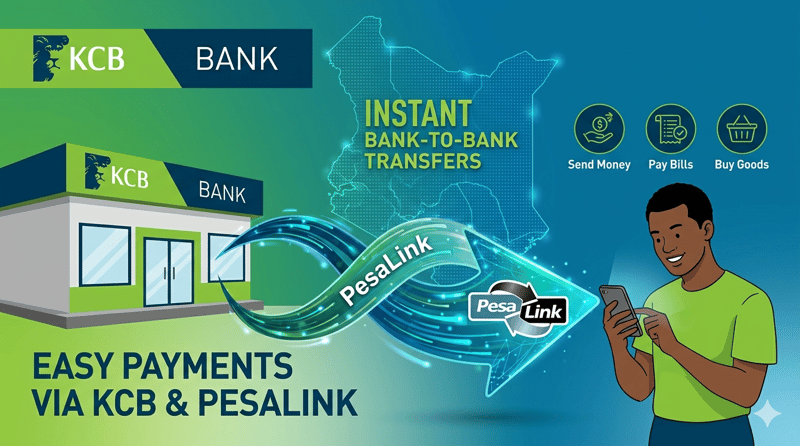
Next read
Elburgon Land Wars — How Armed Goons Are Driving Legal Landowners From Their Homes While Local Leaders Watch
25 April 2026 · 5 min read