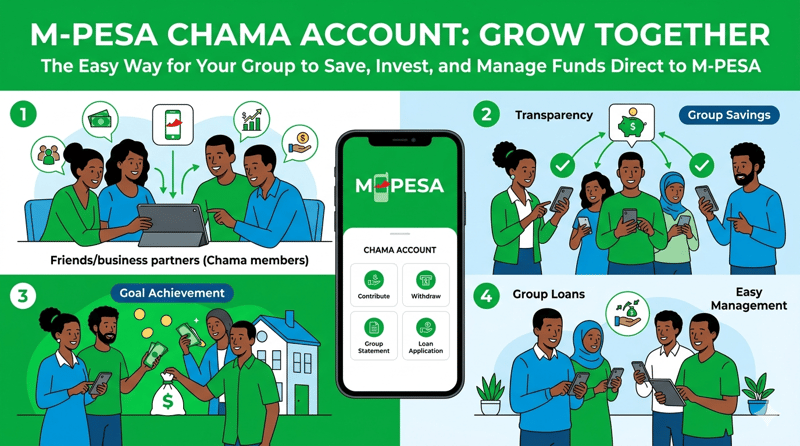
Opening a savings group account has never been easier for Kenyans. Safaricom's M-Pesa Chama Account gives groups and chamas a secure, convenient way to collect and manage funds digitally. Whether your group is saving for investments, emergencies, or shared projects, this service removes the hassle of handling cash. This guide walks you through the M-Pesa Chama Account requirements and the simple steps your group needs to follow to get started today. The M-Pesa Chama Account is a smart, paperless solution that helps Kenyan savings groups operate more transparently and efficiently. Gather your documents, walk into the nearest Safaricom shop, and take your chama's financial management to the next level. [Image: GGI] Requirements for Opening an M-Pesa Chama Account Before you visit a Safaricom shop or submit your application, your group needs to prepare the following documents: A copy of the group's registration certificate A mandate from the group authorising the appointed official A copy of the national ID of the chama-appointed official A copy of the PIN certificate of the chama-appointed official A duly filled application form , which you collect from any Safaricom shop or customer care desk Once the group representative registers, they can also add the rest of the members and grant them access to the portal so they can view the chama statement at any time. How to Open an M-Pesa Chama Account Application Process Safaricom gives your group three convenient ways to kick off the registration process: Visit any Safaricom shop or customer care desk countrywide and request an application form in person. Send an SMS with the word CHAMA to 21366 and a Safaricom representative will follow up with you. Send an email to [email protected] and a representative will get back to you promptly. After you submit the completed application form alongside the signed contract, Safaricom processes your request within 48 hours . Once the account is successfully set up, Safaricom notifies the group representative via a telephone call. Managing and Transferring Funds The M-Pesa Chama Account accommodates balances ranging from Kshs 0 to Kshs 100 million , making it suitable for both small and large savings groups. Members contribute directly into the account, and the group representative manages the funds through a dedicated online portal.
When the group needs to transfer funds to their registered bank account, the representative initiates the request by either: Logging into the portal and submitting a transfer request, or Sending an email to [email protected] requesting the transfer Safaricom then moves the money to the bank account the group provided during registration. Charges and Fees The chama account itself attracts no deposit charges for the group. However, individual members sending contributions will pay a small transaction fee based on the amount they send — the same standard M-Pesa transaction charges that apply to regular transfers.