In today’s fast-paced world, financial emergencies can strike at any time. Zenka Mobile Loan provides a quick and reliable solution for Kenyans needing instant cash. With loans ranging from Ksh 500 to Ksh 30,000, Zenka ensures you can cover urgent expenses without lengthy bank procedures. The app is simple to use, requires minimal information, and transfers funds directly to your M-Pesa account. This guide walks you through how to apply for and repay Zenka mobile loans via M-Pesa, ensuring you understand the process, interest rates, and repayment rules. Zenka Mobile Loan offers instant loans to cover emergencies, with easy registration, fast M-Pesa disbursement, simple repayment, and minimal requirements for Kenyans seeking convenient financial solutions. [Photo/Courtesy] How To Register and Apply for Zenka Mobile Loan Zenka Finance Limited operates the Zenka app, which has over 1 million downloads on Google Play Store. Registration is simple: all you need is your full name and National ID number. Your credit score from major bureaus like Metropol, TransUnion, and CreditInfo determines your loan eligibility. Steps to Register and Apply Download Zenka Mobile App Get the app from Google Play Store. Sign Up Click Sign Up . Enter your first name, last name, and National ID. Choose a security question and provide an answer. Set a 4-digit PIN. Read Terms and Conditions via the provided link, then click Agree and Sign Up . Input the 4-digit verification code sent via SMS. Start Loan Application Select the loan amount and repayment term. Click Get Loan . Your loan will be instantly verified using credit data and phone information (M-Pesa history, SMS, call logs). Funds are deposited directly to your M-Pesa account. You can also register via USSD by dialing 483101# . Zenka Loan Limits and Interest Feature Details Minimum Loan Ksh 500 Maximum Loan Ksh 30,000 Interest Rate 12% for 30 days Repayment Period 30 days Limit Increase Pay loans on time to raise your borrowing limit Repaying loans on time helps build your credit score and unlock higher future loan limits. How To Repay Zenka Loan Via M-Pesa Zenka repayment is simple and secure, either through M-Pesa or directly via the Zenka app. Repayment Using M-Pesa Go to your M-Pesa menu . Select Lipa na M-Pesa . Choose PayBill . Enter 979988 as the business number. Use your phone number as the account number. Enter the repayment amount. Input your M-Pesa PIN and press OK . You will receive a confirmation SMS. Repayment Through Zenka App Open the Zenka app and scroll to Repay . Select or edit the repayment amount. Click Repay Now and follow the payment link. After successful payment, you will receive an SMS notification. Penalties for Late Payment Zenka charges a 1% daily penalty on the outstanding loan amount. To protect your credit history, always repay on time. Additional Information and Support If you have questions or need assistance: Email: [email protected] Phone: 020 7650878 Office: Chiromo Rd, Mirage Tower 2, 12th floor Using Zenka Mobile Loan responsibly ensures quick access to emergency funds and strengthens your financial reputation for higher future loan limits.
How To Apply and Repay Zenka Mobile Loan Via M-Pesa
N
Newsroom Updated 3 min read
Primary source nyakundireportblog
Story · How To Apply and Repay Zenka Mobile Loan Via M-Pesa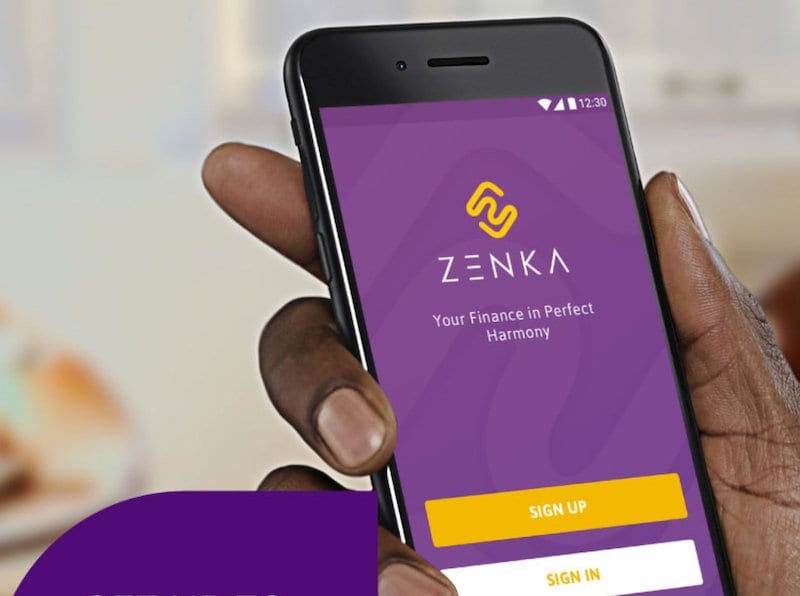
Next read
Elburgon Land Wars — How Armed Goons Are Driving Legal Landowners From Their Homes While Local Leaders Watch
25 April 2026 · 5 min read